Overview
Connect Intercom to Attio securely using OAuth and power real-time automations with Data Connectors.
This app lets you authenticate your Intercom workspace with Attio in just a few clicks. Once authorized, you can use the generated access token inside Intercom Data Connectors to sync data, trigger workflows, and build powerful cross-platform automations.
No manual token management. No custom auth flows. Just secure, standards-based OAuth.
How it works
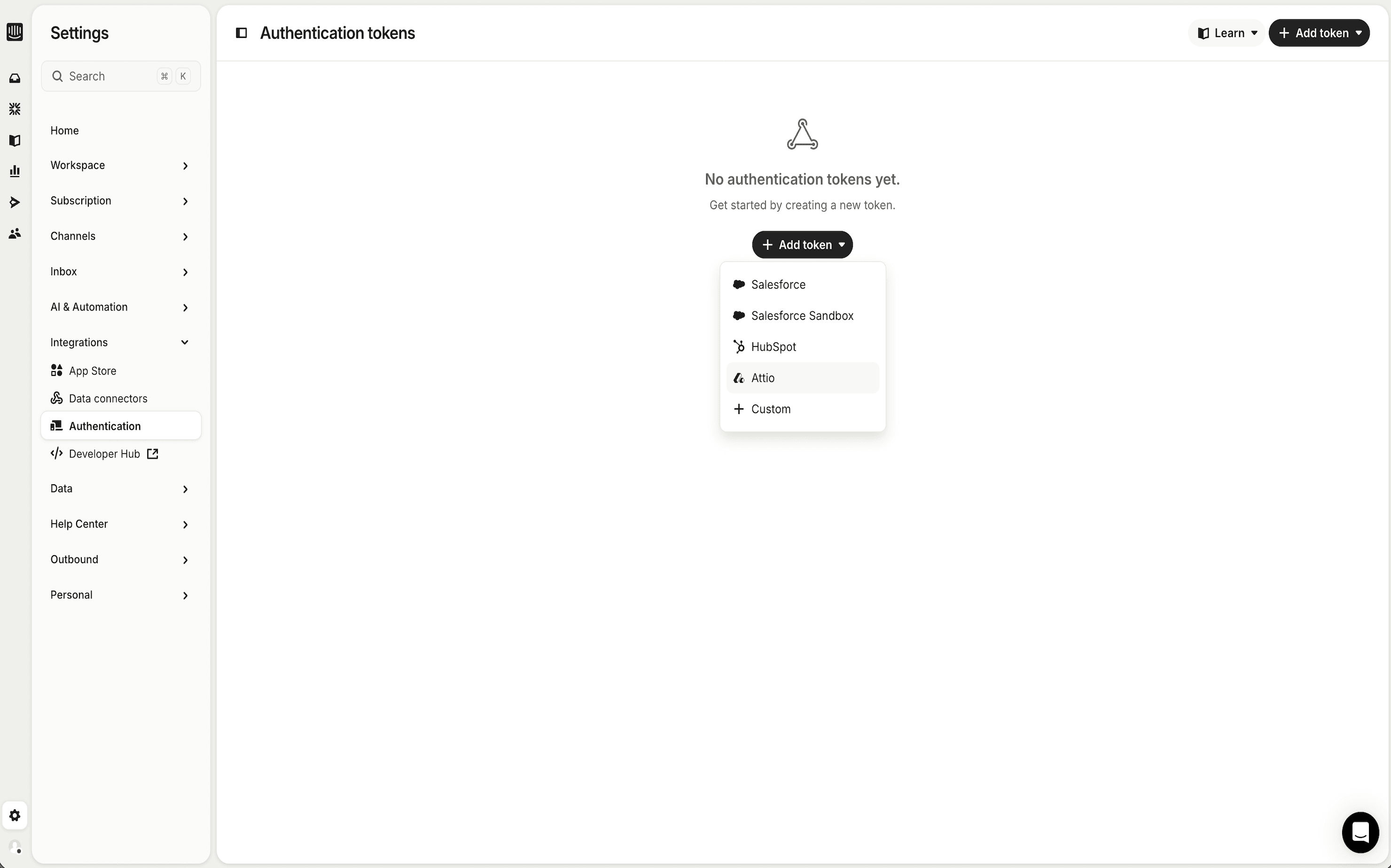
- In your Intercom workspace, click New Token.
- Select Attio.
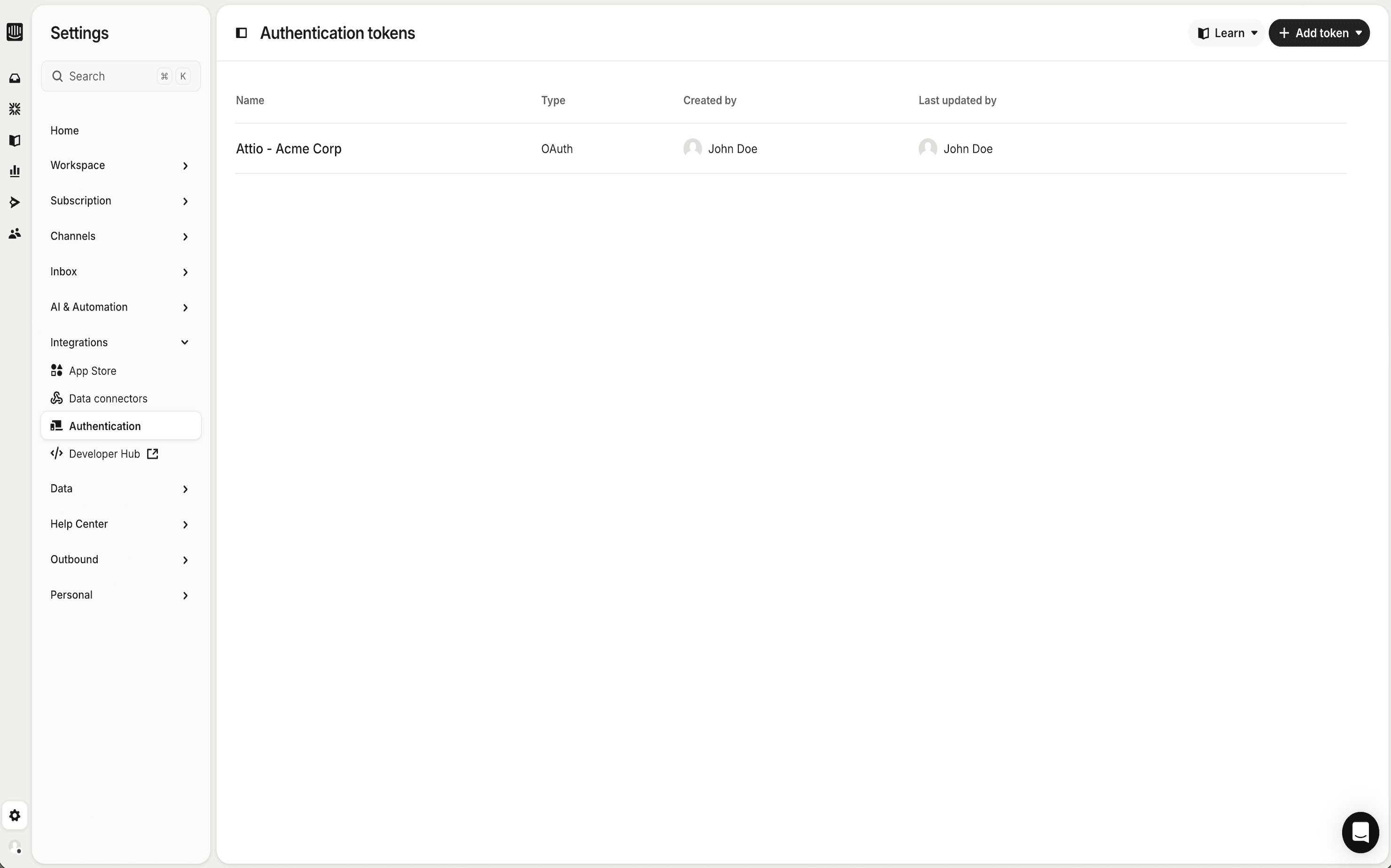
- Complete the secure OAuth authorization flow.
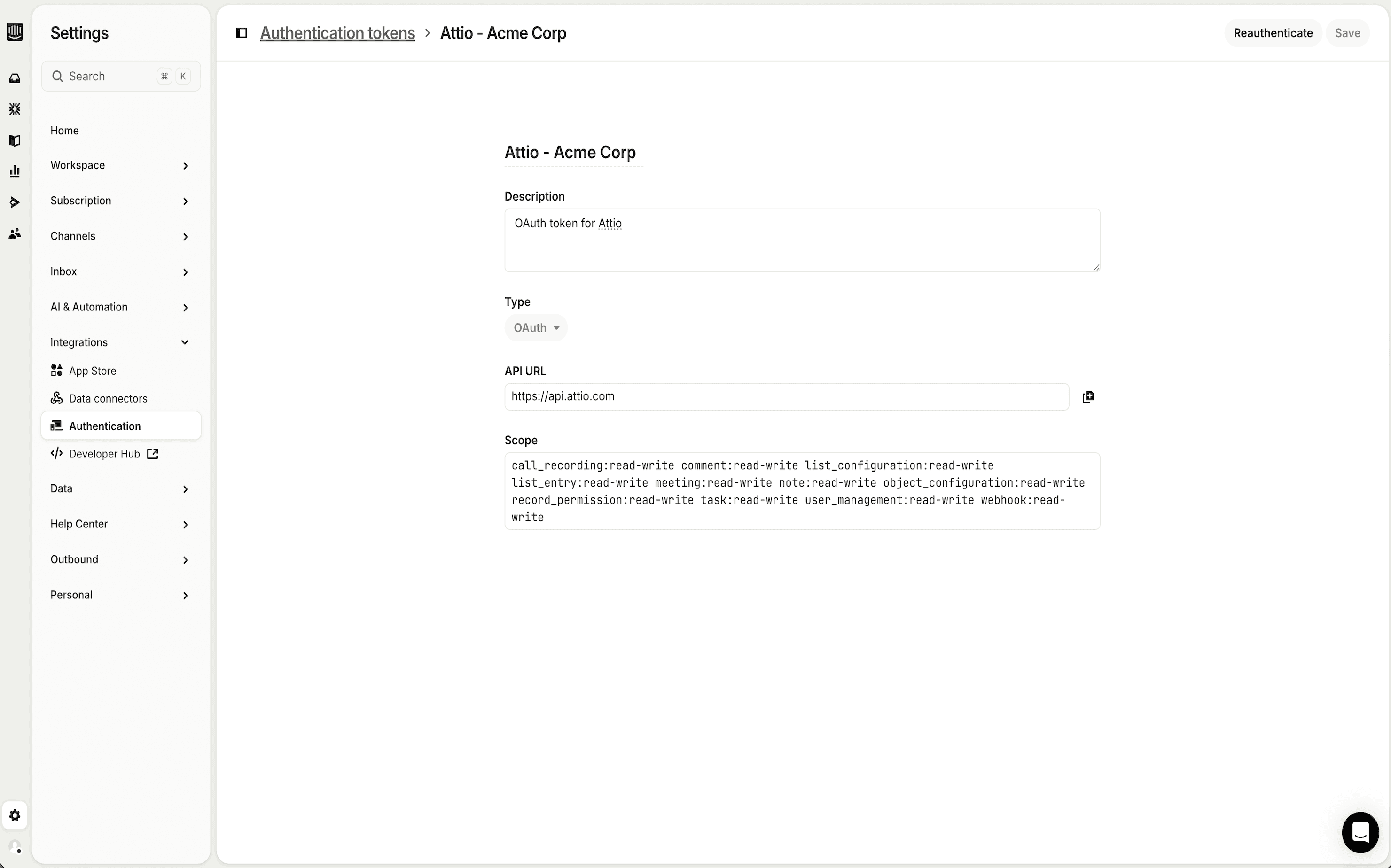
- You’ll be redirected back to Intercom with a valid access token.
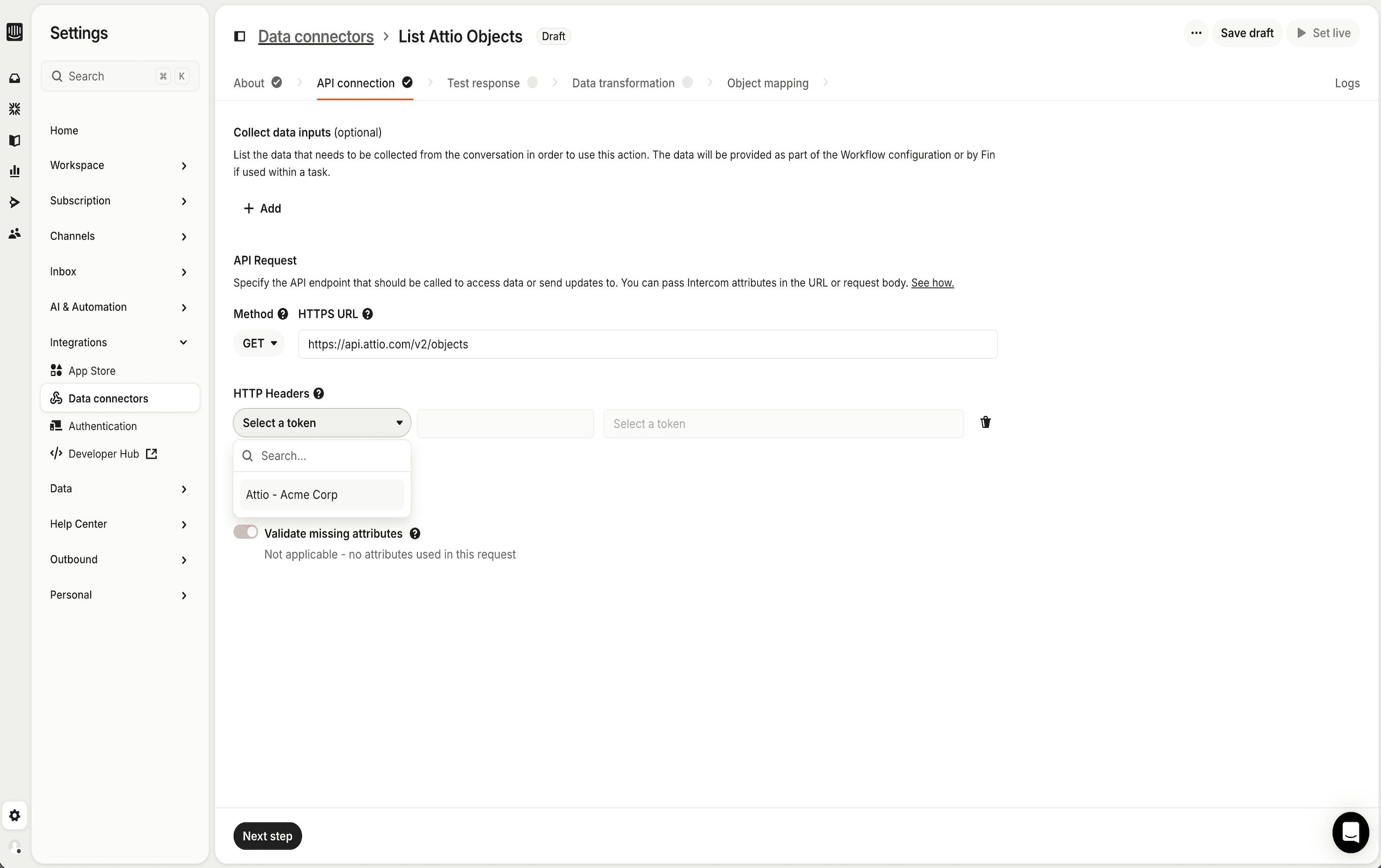
- Use the token inside Data Connectors to send and receive data between Intercom and Attio.
The entire process takes minutes and follows OAuth best practices for secure authorization.
Configure
- Requires an active Intercom workspace.
- You must have permission to create tokens and configure Data Connectors.
- An Attio account is required.
- OAuth authentication is handled securely through Attio — no API keys or manual credential handling needed.
Works with Intercom Data Connectors for building automated workflows and data syncs.