Overview
Magely bridges your CRM and accounting. Sales teams stay in Attio, finance stays in Xero, data stays in sync automatically. See live invoice status on deals, create Xero invoices in one click, and auto-generate invoices when deals close. 14-day free trial, no credit card required. Starter £19/mo, Pro £59/mo
How it works
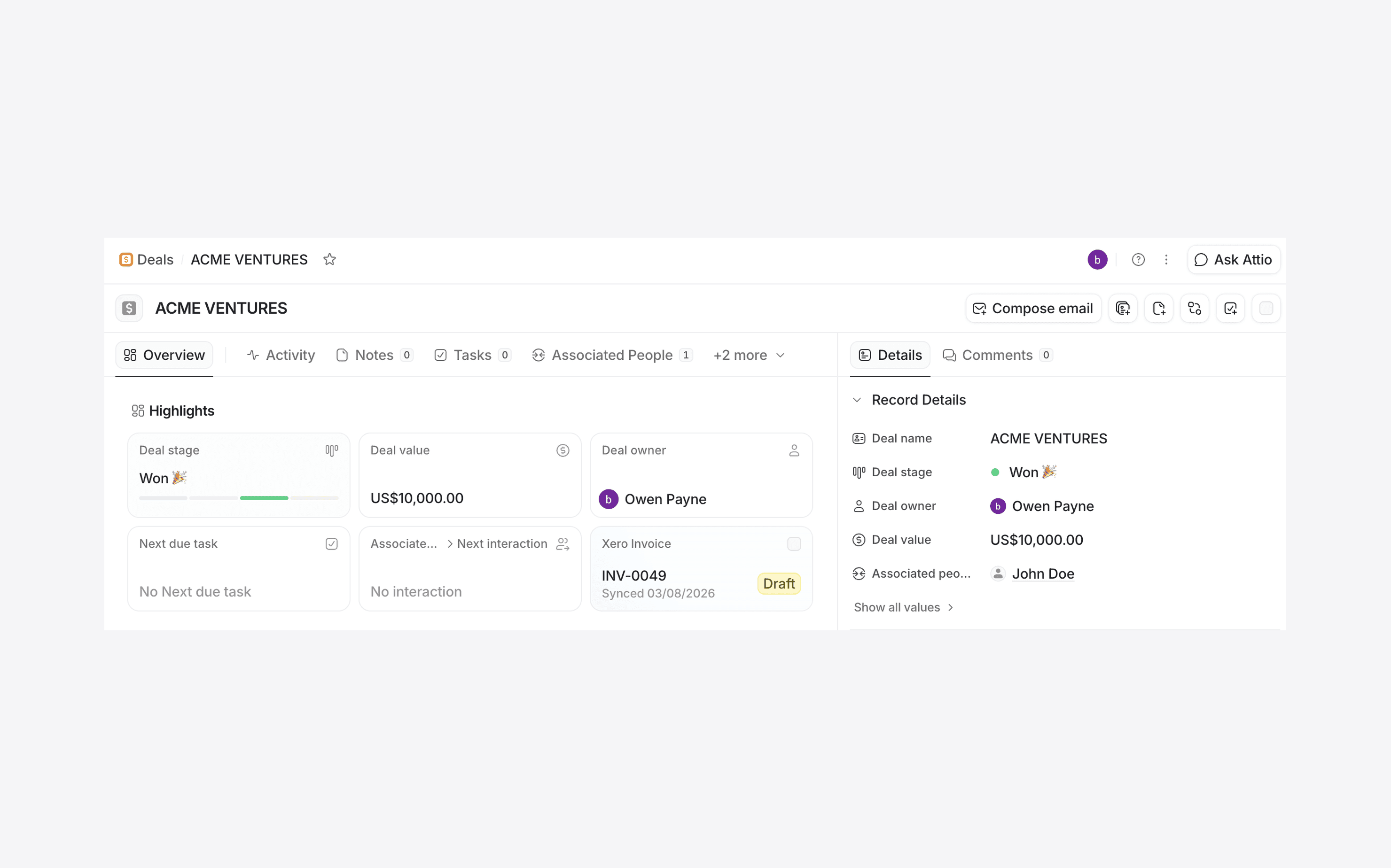
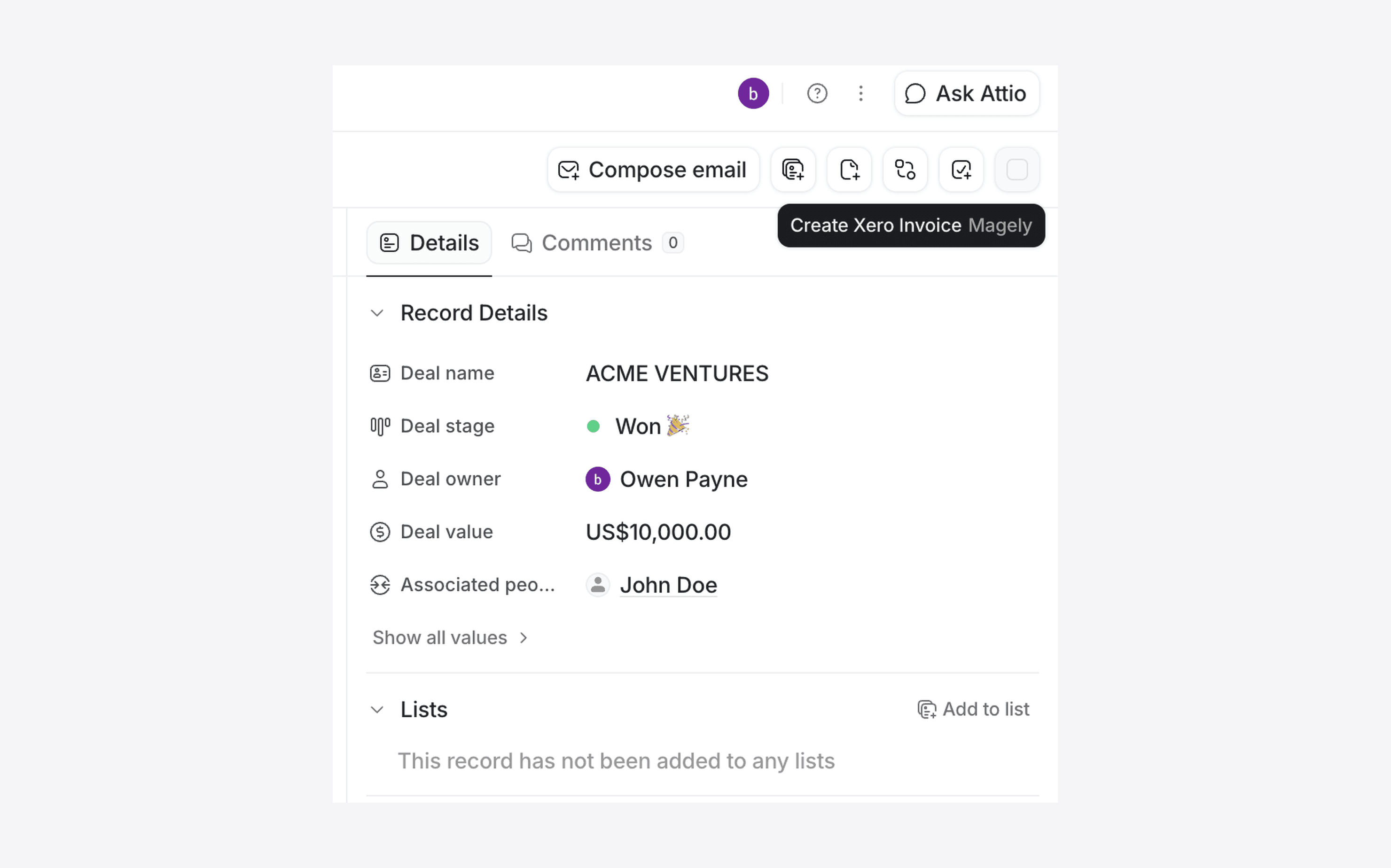
Magely lets you create Xero invoices directly from Attio deal records with one click — pre-filled with the contact and deal value. The invoice status widget shows Draft, Awaiting Payment, Paid, or Overdue right on the deal, so you never need to switch tabs. You can also sync contacts from Attio to Xero manually. Connect your Xero account in the Magely settings tab — no technical setup required. Pro features including automatic invoice creation on deal Won, overdue alerts, and background contact sync.
Configure
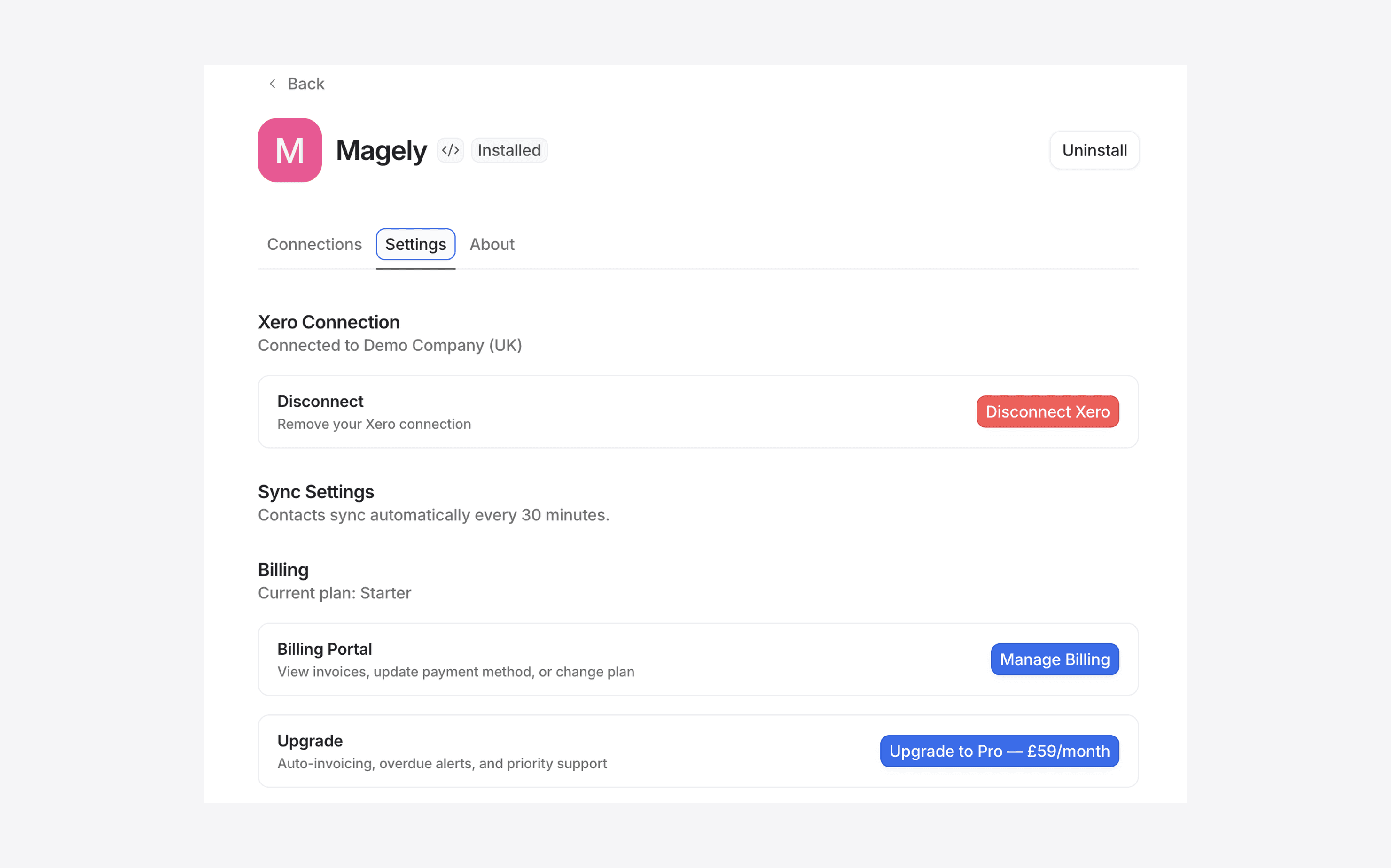
Install Magely, then go to the Settings tab and click Connect Xero. Sign in with your Xero account and select your organisation. That's it — no backend URLs, API keys, or technical configuration needed. Choose a plan (Starter or Pro) from the Billing section when your 14-day trial ends.
To show invoice status on your deals, open any deal record, scroll to the Highlights section, click the + button, and add the Xero Invoice widget. It will display the invoice number and status (Draft, Awaiting Payment, Paid, or Overdue) for any invoice created through Magely.